EMR Guide
The Complete Guide to Sleep Medicine
How sleep disorders are screened, diagnosed, and treated in 2026, and the workflow it takes to run a sleep practice end to end.
Read the guide
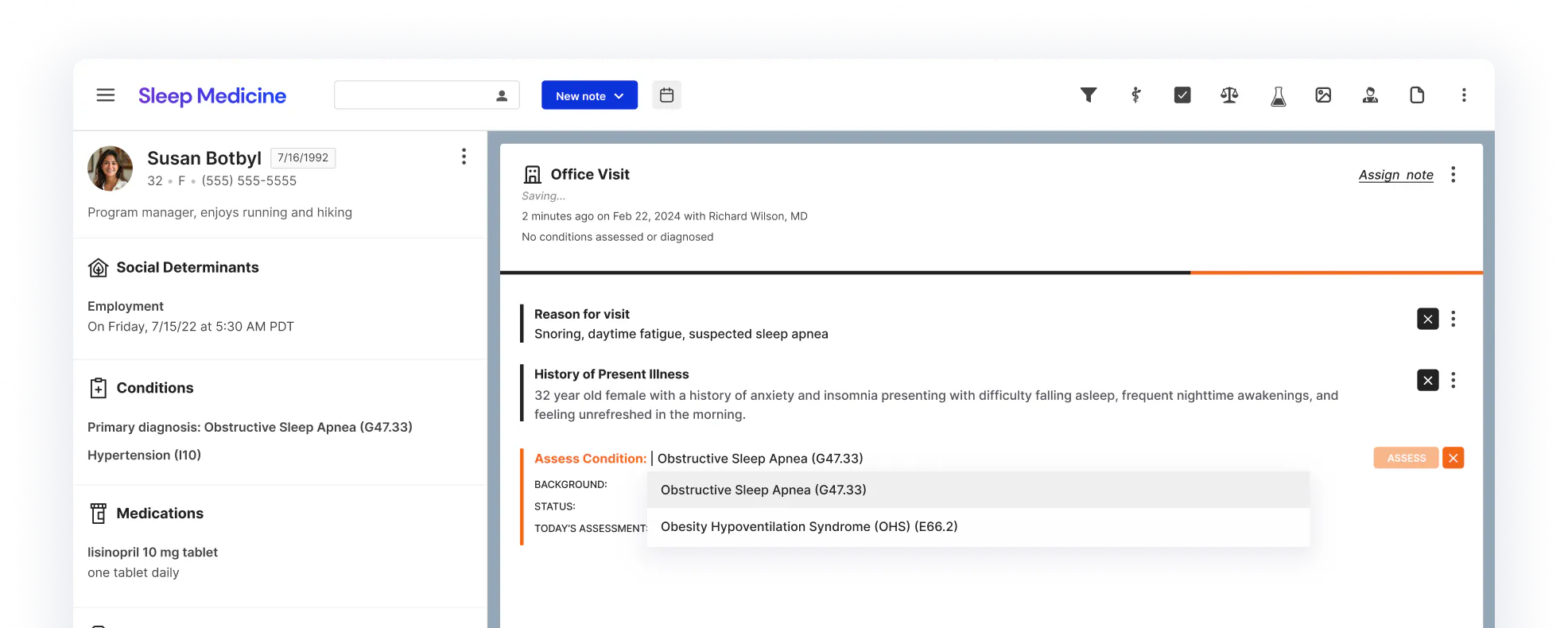
STOP-BANG, Epworth, and ISI scored in the note, so high-risk patients surface on arrival.
A home sleep test ordered from the chart, with results captured as structured, trendable data.
CPAP, oral appliance, or CBT-I, with the plan and orders in one place.
The full picture of how a sleep practice runs on Canvas, and how the options on the market compare.
EMR GuideHow sleep disorders are screened, diagnosed, and treated in 2026, and the workflow it takes to run a sleep practice end to end.
Read the guide Compare EMRs
What a sleep practice actually needs from its software, how the platforms on the market compare, and the questions to ask before you buy.
Compare EMRsThe workflow is specific, largely virtual, and constantly evolving. Here’s what that takes.

STOP-BANG, Epworth, and ISI run in the note and score as the clinician goes. High-risk patients surface on arrival, and the visit opens with a populated chart instead of a blank one.
Build the exact screening, testing, and follow-up your practice runs, then change it when the guidelines change. Canvas is programmable, so the software fits your care model instead of forcing your practice to fit the software.
CPAP adherence, repeat scoring, and device follow-up track against baseline in one record, with scheduling and eligibility handled in the background so specialists stay on clinical decisions.
Describe the screening, testing, or follow-up your practice needs, and Studio gives you back a working plugin, not an engineering project. Here are four examples that sleep practices have already built.
Runs STOP-BANG, Epworth, and ISI right in the note, scoring each as the clinician goes. Pre-fills age, sex, and BMI from the chart, then stages provisional diagnoses and a sleep-study task for review.
Orders a home sleep test from the Diagnose command and renders the apnea indices and Epworth trend as structured, trendable data on the patient chart
Puts every scored screener on one page, so STOP-BANG, Epworth, and ISI results trend over time. See the latest score, the change since last visit, and drop any trend into a note in one click.
A one-click prescribing panel for the medications a practice orders most. Search, save custom favorites, and prescribe several at once, cutting the repeat clicks out of every visit.
What running on Canvas looks like at national scale.
STOP-BANG, the Epworth Sleepiness Scale, and the Insomnia Severity Index run inside the note and score live as the clinician completes them. Results commit to the chart as structured data, so high-risk patients surface immediately, and nothing is tallied by hand.
Yes. Scored study results, the apnea-hypopnea index, oxygen desaturation, and Epworth score, are captured as structured data and shown as the latest study plus an Epworth trend at the top of the patient chart.
Yes. CPAP adherence, repeat ISI and Epworth scoring, and scheduled touchpoints track against a patient's baseline in one record, which is what sleep care needs across months of therapy and device follow-up.
Yes. New screening instruments, scoring wired to a protocol, and follow-up workflows can be built without code in Studio. For deeper work, the Canvas SDK and FHIR API make it straightforward for a technical team, and the plugin library means someone may have already built what you need.
Not necessarily. Most sleep customizations are configuration, not a software project. A developer helps only when you want to go deeper than the no-code tools allow
Learn the eligibility verification process in medical billing. Verify patient insurance coverage step by step to cut claim denials and protect your revenue.
Read more
Discover how remote patient monitoring improves chronic disease management, offering real-time insights and empowering proactive healthcare
Read more
Patient verification automation cuts claim denials and speeds eligibility checks. See how automated systems improve accuracy, cash flow, and patient safety.
Read moreTry the sleep medicine trial EMR today, no commitment required

Screen, diagnose, treat, and follow up in one record, on a platform built around how sleep practices actually work, not a generic template you work around.