Covered by Canvas agreements
Canvas's BAA covers the model providers behind the gateway, so your team doesn't need its own contract with one. Canvas's zero data retention policy covers them, and they do not train on your data.
Developers use Inference Gateway to build their own agents, automations and apps on Canvas.
Canvas's BAA covers the model providers behind the gateway, so your team doesn't need its own contract with one. Canvas's zero data retention policy covers them, and they do not train on your data.

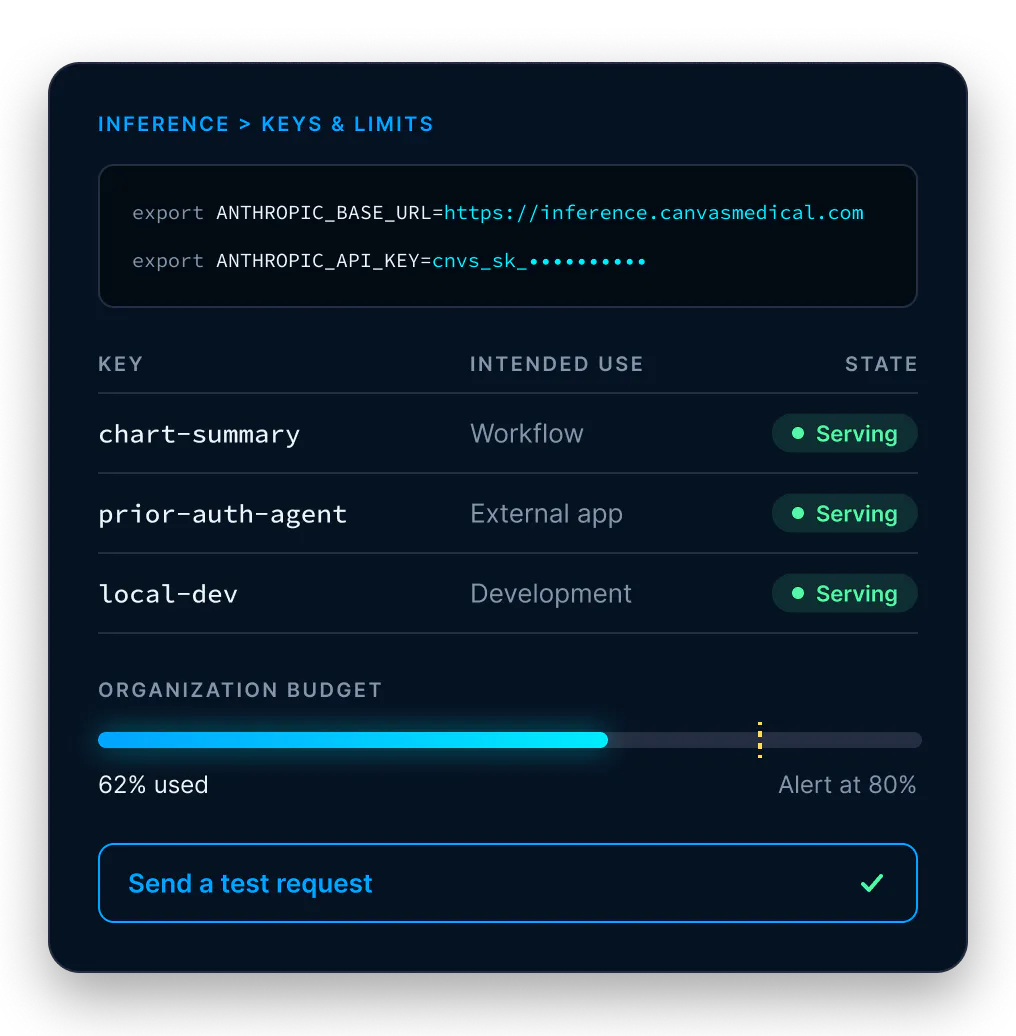
Organization admins create, name and revoke keys in Canvas Platform. Each key can carry its own monthly limit.

The Usage & Billing page in Canvas Platform shows spend by key. Organization and Billing admins get an email as spend crosses each alert threshold.

The gateway accepts the Anthropic Messages API. Point the Anthropic SDK or Claude Code at the Canvas gateway URL and use a Canvas key in place of an Anthropic key.
Your Canvas team turns on your inference account once your organization signs the AI Addendum.
An Organization admin creates a key in Canvas Platform, names it for the automation that uses it and sets an optional monthly limit.
Set the gateway URL and your key in the Anthropic SDK or Claude Code, then send a test request from Keys & limits to confirm it works.
Inference Gateway is Canvas's endpoint for Claude models. Your developers call it with a Canvas key, which your organization creates and manages in Canvas Platform.
No. Your developers use a Canvas key in place of an Anthropic key.
Yes. Canvas bills Inference Gateway per token as an additional charge on your monthly Canvas invoice. Billing admins can see the per-model token prices on the Billing settings page in Canvas Platform.
The gateway serves Claude models through the Anthropic Messages API. Canvas can limit an organization to specific models.
The gateway serves message requests and token counting. Other Anthropic endpoints, such as Message Batches, Files, Skills uploads and Models, return an error. The priority service tier isn't available, so leave service_tier unset or use the standard tier.
Yes. The gateway passes tool definitions and tool calls inside a message request through unchanged. Canvas bills web search per search on top of tokens, and those charges appear in the same usage view.
Yes. Your organization sets a monthly budget, and each key can have its own monthly limit. By default, reaching the budget only sends an alert. A Billing admin can turn on Stop requests instead.
Stop requests halts every workflow that uses your organization's keys, including patient-facing workflows, so check what depends on inference before you turn it on.
Yes. Canvas Studio, the AI plugin builder for Canvas, makes its model calls through Inference Gateway on your organization's account. Token fees apply to Studio usage under your AI Addendum.
Yes, once your organization signs the AI Addendum and your inference account is active. Requests go only to model providers that Canvas's BAA and zero data retention policy cover. Your team does not need its own BAA with the model provider for these calls.
No. The gateway passes each request and response through unchanged and reads only the token counts it needs for billing. The gateway does not log or save prompts and completions. Usage records hold the key, the model and the token counts, which is what you see on the Usage & Billing page.
The model is the same Claude you would reach directly, and the API is the same Anthropic Messages API. The differences are in everything around the model call.
With your own provider account, your organization has to put its own BAA and zero data retention terms in place with that provider before you send any PHI. Through the gateway, Canvas's BAA with Anthropic (and your BAA with Canvas) and your AI Addendum already cover those terms.
Gateway usage appears on your monthly Canvas invoice next to the rest of your Canvas usage. Every key can carry its own optional monthly limit on top of an organization budget, with email alerts and an optional hard stop, and you can see spend per key.
Your Organization admins create and revoke keys in Canvas Platform, so they can revoke a leaked key in one step. Studio already runs on your organization's gateway account, so your Studio usage and your own builds share a single budget and one usage view.
Yes. They run in Claude Code on your machine or in your app and reach the model through ordinary message requests, so they work the same way through the gateway as with a direct Anthropic key. This includes the Canvas Plugin Assistant, a Claude Code plugin Canvas publishes for building Canvas plugins, with the Canvas SDK reference, plugin patterns, security review, test authoring and deployment workflows built in. Install it in Claude Code with /plugin marketplace add canvas-medical/coding-agents and then /plugin install cpa@canvas-medical.
The BAA covers the model providers behind the gateway. An MCP server or other tool that Claude Code calls is a separate service, so make sure your organization has its own agreement with any tool that receives PHI.
Contact your Canvas team to sign the AI Addendum and turn on your inference account. The setup guide in the Canvas Help Center covers creating a key and connecting your code.

Inference Gateway gives your developers a Canvas-issued key for Claude models. You create keys, set budgets and track spend in Canvas Platform.