TL;DR
- Dan Lesser, COO and CGO at Chronius Health, a primary care practice for patients with complex chronic conditions, built a running-late alert that posts to Slack when a clinician is behind schedule.
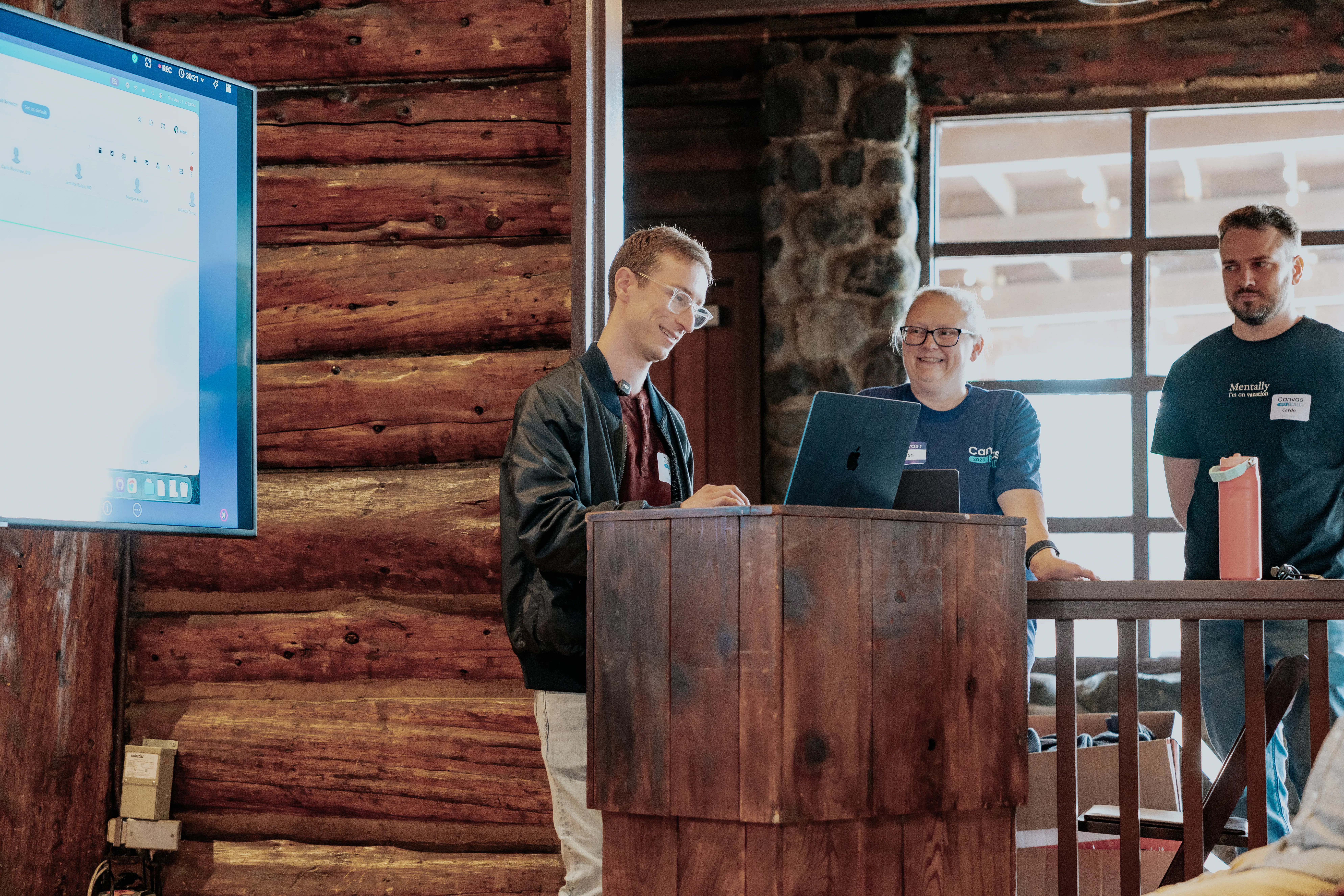
- He built it in Canvas Studio at BUILD Summit, the first day he used the tool, and refined and redeployed the first version the same afternoon.
Compounding impact
Every practice has a list of feature requests for its EMR, full of the little things that would make the day better. Each one is a small improvement, but combined they are the difference between a system your team fights and one that works the way they do.
Previously, Chronius shipped about two of those a year. The items were not hard; they just never beat production work in a prioritization meeting, and that’s not true anymore.
Studio changes what a practice will even attempt. Dan puts it in terms of the questions his team used to skip: "It's not like it's making things faster. It's unlocking things that we literally could not do before. We just wouldn't do them. We wouldn't ask the question. We wouldn't try to find the information. We would just go without it. Whereas now we can get it in a matter of seconds."
Dan first used Studio at BUILD Summit in May and built three plugins that day, all of which are still running in production. Four people at Chronius build in Studio now, and between them they have opened 25 plugin projects and shipped 21 of them.
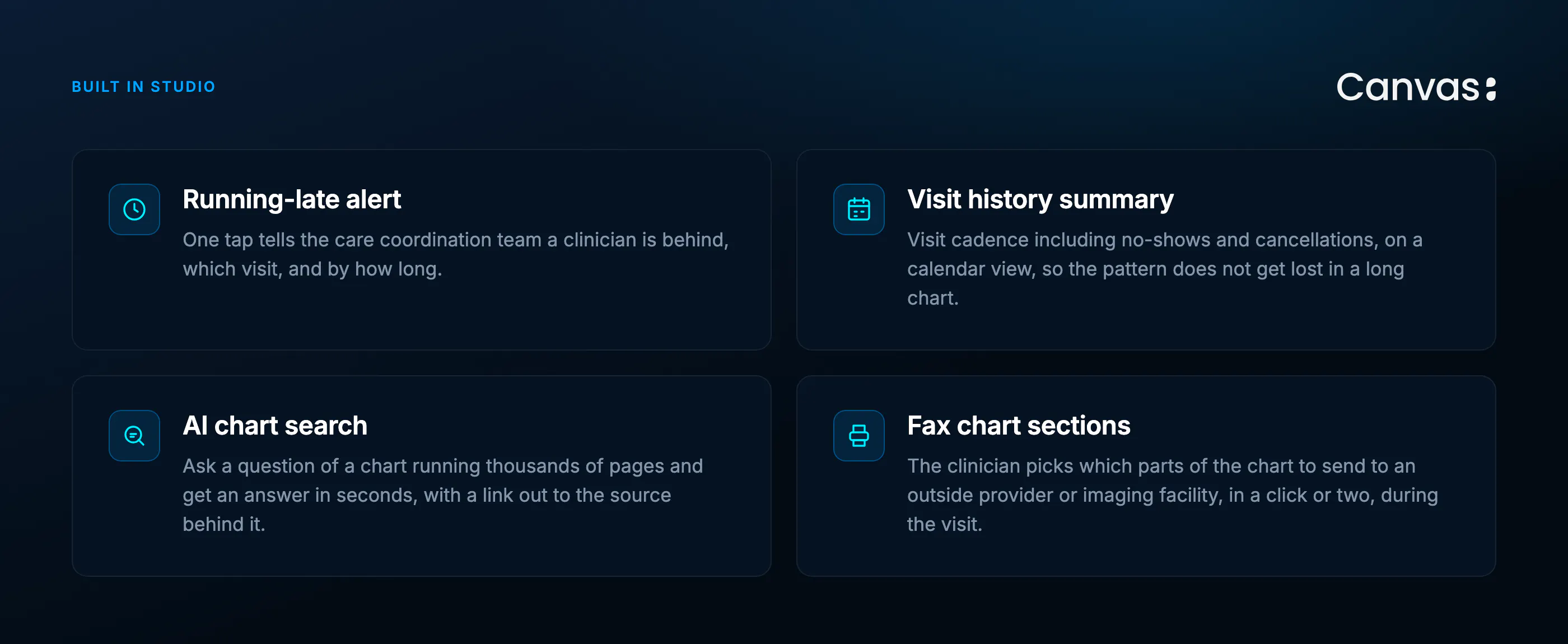
Chronius is not an outlier. Between May and August, customers built 709 plugins across 58 organizations, with 111 people doing the building and 18 of those organizations having three or more builders. Those plugins have been deployed 11,019 times, and a third of them have gone out more than ten times each, which is what it looks like when a plugin becomes part of the daily routine instead of a finished project.
What is Canvas Studio?
Studio is an AI plugin builder inside the Canvas EMR, built on the Canvas SDK and powered by Claude Code. You describe the workflow you want in your own words, and Studio builds it, showing you a plain-English plan first and waiting for your approval at every step. It runs in the browser, it never ships on its own, and whatever it builds becomes a GitHub repo your team owns.
The workflow: a running-late alert
What it is: Chronius built a one-click button that tells the care coordination team a clinician is behind schedule, so they can reach the patient before the patient calls in.
The flow:
- Clinician taps the running-late icon in the Canvas top bar
- They pick which visit they are behind on from the next 60 minutes
- They set how late, from preset buttons at 5, 10, 15, 20, or 30-plus minutes
- They add an optional note
- Slack gets the message with clinician name, patient name, visit time, and the delay
What it produces: A Slack message to the care coordination channel that names who is late, for which patient, and by how much.
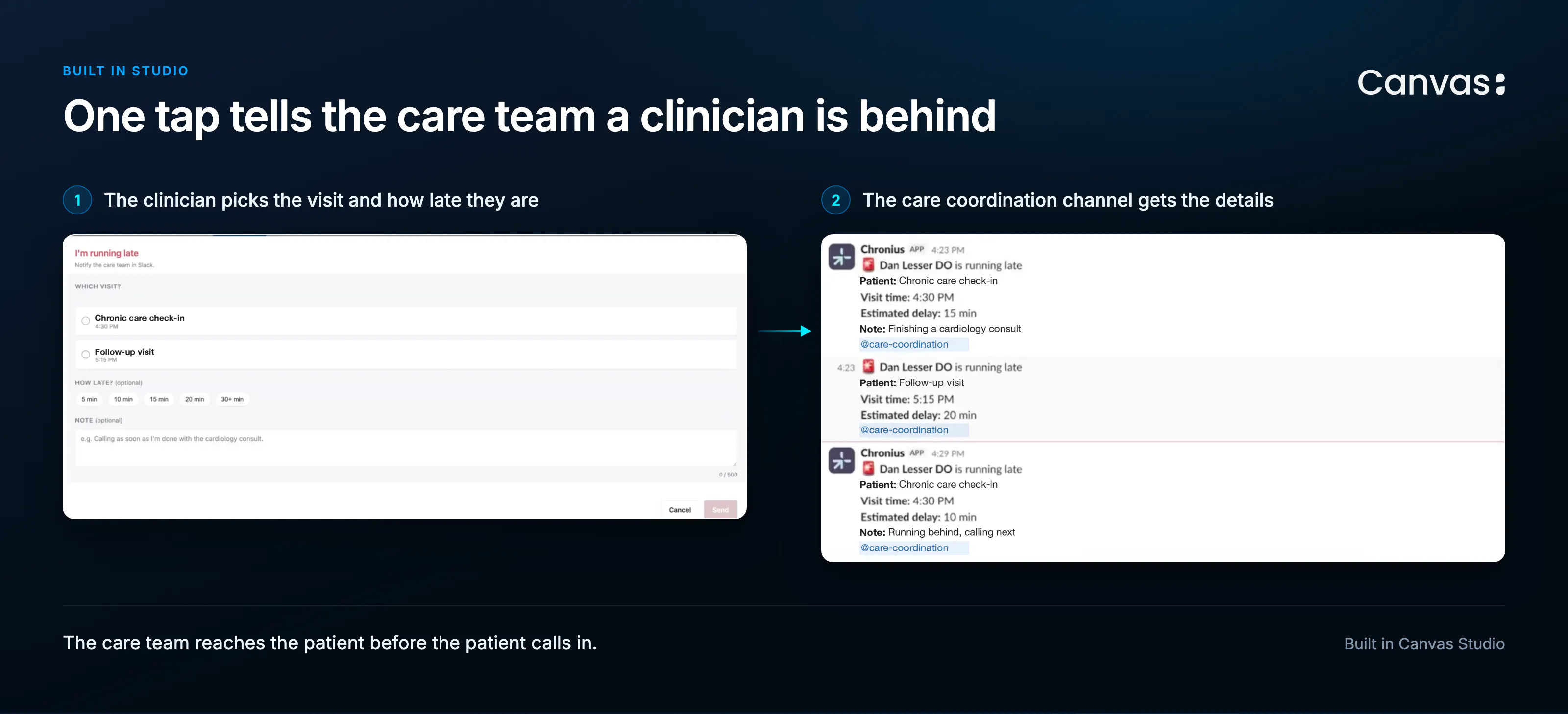
Before it existed, the clinician messaged Slack by hand, someone relayed to the patient, and the patient often called in worried before the relay landed.
The first version needed work. Dan fixed it himself and had it back out the same afternoon, a turnaround he contrasts with the many weeks it would have taken to get an engineering fix prioritized.
Ask Studio for it like this:
Build a "running late" button for clinicians. Put it in the top bar so it takes one click. When a clinician taps it, show their visits happening now or in the next 60 minutes, let them pick one, pick how late they are from preset buttons, and add an optional short note. Post a message to our care coordination Slack channel with the clinician name, patient name, visit time, and the delay.
Why this is worth copying: Running late is a fifteen-second handoff that turns into four interruptions when there is no mechanism for it. The plugin is small enough that no engineering team would prioritize it and useful enough that clinicians use it daily.
What the example shows
Small beats important. This plugin would not survive a prioritization meeting against revenue work, and it gets used every day.
The person who notices builds it. Dan hit the problem himself, so he knew what the button needed to do and who needed to see the message.
It adds up on both sides of the practice. Dan frames the payoff as capacity and retention together: "We're both expanding our capacity and therefore the number of patients we’re able to see. And also reducing turnover, which is great. So both sides of the coin, we are happy about."
The care gets better too, not just the day. Describing what the plugins his team has built have changed, Dan says: "It saves our care coordination team time. It saves the clinical team time. It also just makes our care better because fewer things fall between the cracks."
The takeaway
Do not assume Studio cannot do something. Describe the workflow in plain language: what should trigger it, what it should read, where the output goes. Ship the rough version, use it, then fix what annoys you.
What to try this week
New to Studio? Pick the smallest thing that bothers your clinicians daily. A banner, a button, a flag. Build that one first.
Not technical? Neither is Dan. Tell Studio what you want in the words you would use with a colleague.
Frequently asked questions
Do I need engineering support to build Canvas plugins?
No. Dan built the running-late button in plain language in Studio himself, while running Chronius as COO.
How long does a plugin take?
Dan built three plugins in one day at BUILD Summit, the first day he used Studio, and all three are running in production. The running-late button went through several iterations as he refined it.
What if the first version needs work?
Refine it and redeploy. The iteration loop is the point.
Can I share plugins with other practices?
Yes. Chronius plans to open source some of what they build. As Dan puts it: "We can only think of so many things. We saw other people do great things that we stole at the build event. A rising tide lifts all boats.”