Sleep Medicine
For OSA, insomnia, RLS, and narcolepsy with comorbidity support
Leverage prebuilt templates and reference examples made for your specialty.
For OSA, insomnia, RLS, and narcolepsy with comorbidity support

Designed for heart failure, CAD, AFib, and complex cardiac care

For adults with type 1 and type 2 diabetes and comorbidities like hypertension and obesity

CKD management across all stages, especially in older adults with diabetes and hypertension
Built for the way you practice

Canvas plugins are customized to your clinical domain, and your EMR is a collection of these specialty specific templates and automations. Canvas saves you time, improves patient experience and creates leverage from your clinical and operational data.
You decide how you chart, with customized charting applications built into Canvas. Documentation and data capture are responsive to your preferences and typical clinical use cases.
Canvas is FHIR-native, which means your specialty tools, lab systems, and referral networks connect through a standards-based API. Your data flows where it needs to go.
Stories and tools from clinics delivering deep, condition-specific care on Canvas.
Learn how cardiology workflow management with EHR software streamlines imaging, scheduling, billing, and patient care with integrations and ROI tips.
Read more
Discover how Canvas Medical's open platform enhances chronic care management, giving care teams superpowers to provide high-quality, proactive care.
Read more
AI-powered ambient documentation for your specialty workflows. Generates structured notes with speaker attribution, feeding directly into coding and orders
Automated medical coding suggestions tailored to your clinical domain. Proposes CPT and ICD-10 codes from your signed notes, reducing back-office billing work.

Drop in your most-used note templates with a single click
Auto-triggers a PHQ-9 when a PHQ-2 returns positive - no manual follow-up needed
Applies the correct obesity ICD-10 code based on calculated BMI
Runs GAD-7 screening and routes positive results for clinician review





Yes. Canvas's plugin architecture lets you build specialty-specific automations using a Python SDK with an events-and-effects model. Common examples include automated screening logic (like PHQ-2 to PHQ-9 triggers), care gap closure, structured intake questionnaires with branching logic, and condition-specific care protocols. You can also use Canvas Studio, a no-code/natural-language tool, to build workflows without writing code.
Hyperscribe provides real-time ambient transcription during clinical encounters, generating structured notes with HPI, ROS, exam findings, and orders. Speaker attribution differentiates patient, provider, and additional speakers. Scribe output feeds directly into structured data for coding, orders, and billing. Clinician review is required before notes are finalized.
Not necessarily. Many customizations can be done through Canvas's configuration tools and pre-built plugins. For deeper workflow customization, Canvas's open developer platform and FHIR API make it straightforward for a technical team to build exactly what you need - and the plugin marketplace means someone may have already built it.
Yes. Canvas supports reusable care plan templates, configurable clinical protocols with decision trees, structured assessments linked to CPT billing, and automated screening logic. You can build condition-specific charting templates, medication reconciliation workflows, and referral routing - all customized to your specialty's typical clinical use cases.
Try a specialty EMR template today - no commitment required.
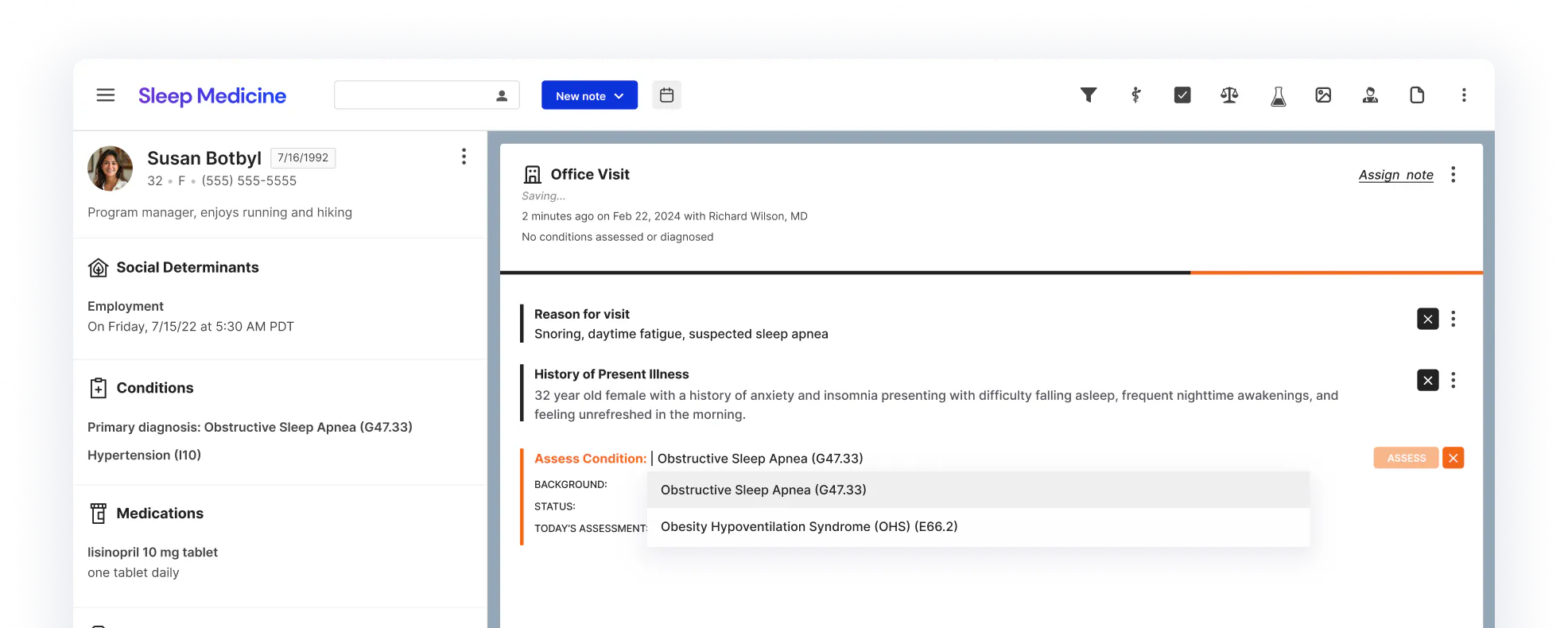
Workflows that are built for your care model. Create your own condition-specific automations, documentation templates, and care protocols.