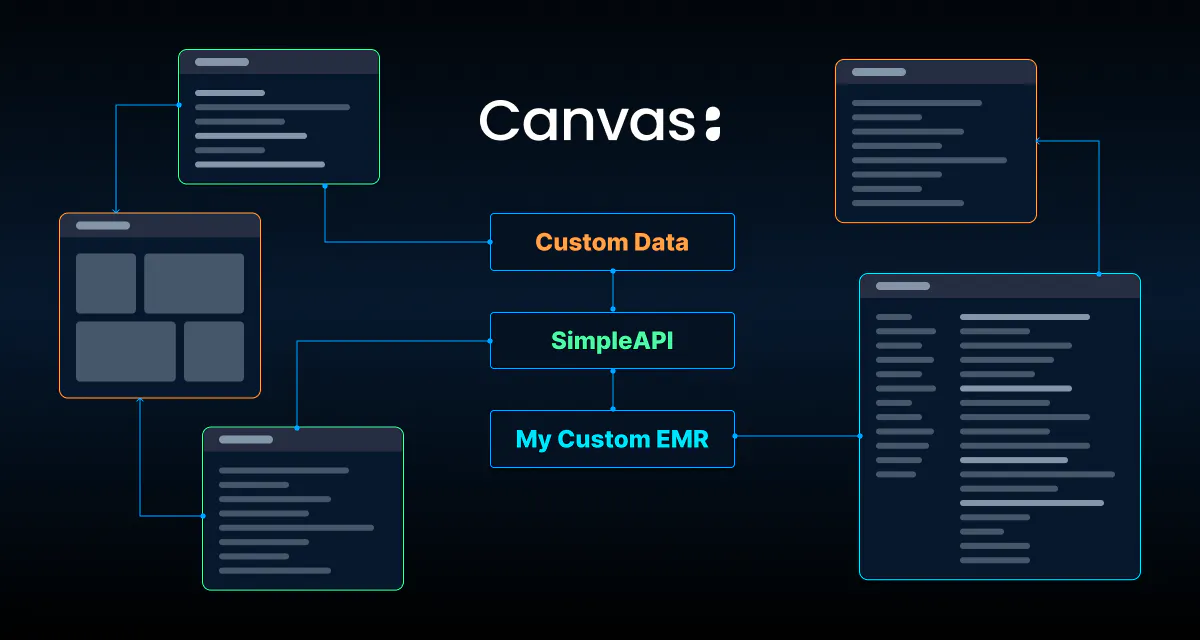
The vision behind the Canvas SDK has always been to give developers real power inside an EMR - not just hooks and alerts, but structured access to clinical workflows, real-time event streams, and the ability to write back into the system of record. Since general availability of the SDK, the capabilities of what's possible has grown quickly. Native clients for OpenAI, Anthropic, and Google now make it possible to build AI-native clinical workflows without leaving the Canvas runtime. Custom Commands give developers the ability to define entirely new chart interactions that behave like native Canvas commands. A deep expansion of billing and revenue cycle effects extended plugin capabilities into claims management, payment posting, and coding workflows that most EMRs don't expose through any API at all.
But something important has been missing: a place to define and store your own custom data.
If you were building more complex plugins like a specialty-specific workflow, a care coordination tool, a patient engagement layer, you eventually ran into the same wall. You could read data from Canvas. You could write data to Canvas if it fit the existing data model. But you couldn't store your own data with your own models in the same runtime, with the same security guarantees, and with native access to the patient context. Developers of Canvas plugins have been creative in storing their own data by using Questionnaires or running a separate database, syncing state, and managing separate infrastructure.
That gap is now closed with the release of Custom Data in the Canvas SDK.
Two Primitives for Persistent State
Custom Data gives plugin developers two complementary approaches for persisting information within the Canvas runtime:
CustomModels let you define fully structured database tables, with typed fields, indexes, and relationships, directly in your plugin. They support the same relational patterns you'd expect: `ForeignKey`, `OneToOneField`, `ManyToManyField`. You can extend existing Canvas models like `Patient` or `Staff` with your own fields. You can build join tables. You can create entirely novel entities that have no analog in the base Canvas data model. This is the right tool when you have a known schema, need to query across records, or want to do filtering, sorting, or aggregation at the database level.
AttributeHubs take a lighter approach: a key-value and document store with no schema requirements. No migrations, no field definitions, no structured relationships - just a namespace-scoped store for arbitrary state. This is the right tool for sync cursors, external system identifiers, plugin configuration, feature flags, or anything with a naturally variable structure.
Both are scoped to your plugin's namespace. A `Specialty` model defined in `plugin_a` is completely isolated from a `Specialty` model defined in `plugin_b`. By default, Pplugins cannot reach into each other's data. If you want to share data across plugins, you do it intentionally - either by co-locating plugins within a shared namespace, or by publishing a SimpleAPI endpoint.
When the Pieces Come Together
Custom Data is the third leg of a stool that Canvas has been building toward. Canvas now gives you:
- Custom Data: your own structured or schemaless storage, scoped to your plugin, living inside the Canvas runtime with full access to patient context and SDK models
- SimpleAPI: custom HTTP endpoints, fully authenticated, deployed serverlessly inside Canvas
- Custom UX: embedded apps that inject entirely new interfaces into the Canvas experience, or applications that take over portions of the chart entirely
These three capabilities together are qualitatively different from any one of them alone. They mean you can build a complete healthcare application (with its own data model, its own API surface, and its own user interface) that runs inside the Canvas runtime, with full patient context, zero additional infrastructure, shared authentication context, and the full weight of Canvas's security, compliance, and clinical infrastructure behind it.
This is more than integration; it's true extension and expansion. The Canvas platform now allows you to customize and extend in any direction, across any clinical, financial or operational workflow. You can choose whether to follow the paved path of existing workflows and data that Canvas provides as a reference implementation, or define your own in any area of the application you’d like.
The Impossible becomes Possible
The Canvas SDK already enables things most EMRs cannot. Plugins can react to clinical events in real time, surface protocol cards, automate documentation, place orders, drive billing workflows, and call AI models, all within the Canvas runtime. The surface area is genuinely broad, and developers building on Canvas today are doing things that would require months of custom integration work on any other platform.
Custom Data extends what's possible further still, specifically for the class of problems where a plugin needs to maintain its own persistent state across sessions, patients, and providers.
Consider a specialty practice running a structured visit program, a medical weight loss practice, a behavioral health program, or a complex care model, where every encounter follows a defined clinical protocol with multiple sections: reviewing relevant history, working through a structured assessment, documenting findings section by section, and placing a specific set of commands at the end. With the SDK, they can already automate documentation, surface protocol cards, trigger tasks based on clinical events, and call AI models mid-workflow.
What they couldn't do before Custom Data was maintain the state that makes a program out of those individual interactions - the in-progress work for a note that a provider needs to pick back up mid-visit, the lab reference ranges that determine how a result should be classified, the per-provider configuration that shapes how the workflow is presented. That state had no native home inside the Canvas runtime.
With Custom Data, it does. The plugin defines a `ConsultDraft` model keyed by note and section, so a provider can move freely through the protocol without losing work, and the system knows exactly where they left off. It defines a `LabMetricRange` model that stores the program's clinical thresholds, updated on a schedule and queried in real time as lab results come in. It defines a `ConsultTimingSession` that tracks time-on-task per section for operational analytics. These are first-class objects in the Canvas database with ForeignKey relationships to `Note` and `Staff`, not external records that have to be fetched and reconciled from somewhere else.
SimpleAPI exposes what the plugin needs to communicate outward: an endpoint that receives updated reference ranges from the practice's clinical source, an endpoint that serves the custom UX assets embedded in the chart, and an endpoint that powers a program dashboard showing visit completion and outcomes across the panel. No separate hosting, no API gateway - the plugin IS the service.
The custom UX ties it together. A structured consult view opens directly in the chart, presenting each section of the protocol in sequence with the patient's current data in context. State is saved to `ConsultDraft` in real time. Lab values are classified on the fly against the stored thresholds. When the provider completes the workflow, the plugin places commands: diagnoses, documentation, orders, directly into the Canvas note. The whole workflow is in Canvas, no second application, no copy-paste, no tab context switching.
That is what Custom Data makes possible, the ability to customize and extendCanvas in any direction, with a full application stack that runs inside the runtime and treats patient context as its foundation.
The EMR as a Platform, Not a Constraint
Most EMRs are closed systems. The APIs are mostly read only, the data model is fixed, and any meaningful customization requires a workaround. Care delivery organizations with differentiated care models, whether virtual-first, value-based, specialty-specific, etc., end up carrying a significant infrastructure burden just to express what makes their model different from a software perspective. They build custom backends. They build sync pipelines. They build translation layers. All of this to compensate for a platform that can't accommodate their actual needs.
Canvas has always taken a different position: the EMR should enable the care model, not constrain it. The SDK has progressively made that concrete, first with automations and event-driven logic, then with richer UX control, then with SimpleAPI, and now with Custom Data.
The result is that a Canvas partner or customer can now build a healthcare application, with a real data model and a differentiated UX, that runs in the Canvas runtime and has access to everything Canvas offers: the patient record, clinical events, orders, tasks, billing, the API surface, and the infrastructure that comes with being inside a production EMR. They don't need to stand up their own HIPAA compliant database. They don't need to manage their own auth layer. They don't need to solve state synchronization. They write a plugin, define their models, build their endpoints and interfaces, and deploy.
If you're building something that needs its own data model inside Canvas - a new care modality, a specialty workflow, a patient-facing experience, an agentic system that needs to maintain state - Custom Data is the piece you've been waiting for.
Below are some examples of open source reference plugins that you can pick up and install in your Canvas environment, built with this new Custom Data capability. You can also find a guide to building your first plugin using Custom data on our developer doc site.
The platform is ready. Build something.
Example plugins using Custom Data:
- A quick-access prescribing tool for treating common conditions with a searchable catalog of favorite medications and batch prescribing.
- Add shared and personal sticky notes to any patient chart. Quickly record team context like names, preferences, reminders - without clogging the formal note.
- Adds a Staff Directory application to the global Canvas menu which stores and displays detailed professional information for every staff member: education history, clinical training, NUCC-coded specialties, and board certifications with expiration tracking.